

Collapsed As-Built (But-For)
Where a Time Impact Analysis adds a delay to see the push, a Collapsed As-Built works the other way: it starts from what actually happened and removes one party's delays to show when the job would have finished but for those delays. It's the natural choice when the work is finished or well along and you're arguing "we'd have been done weeks earlier if not for them."
Note: A few terms, in plain language. As-built = the schedule of what actually happened. But-for = the hypothetical "if that delay hadn't occurred" finish. Collapsing = pulling the delays out and letting the schedule recalculate to that earlier date.
Step 1 — Set up the as-built
Launch Collapsed As-Built (But-For) from Agentic Flows (⌘J → Forensic Analysis).
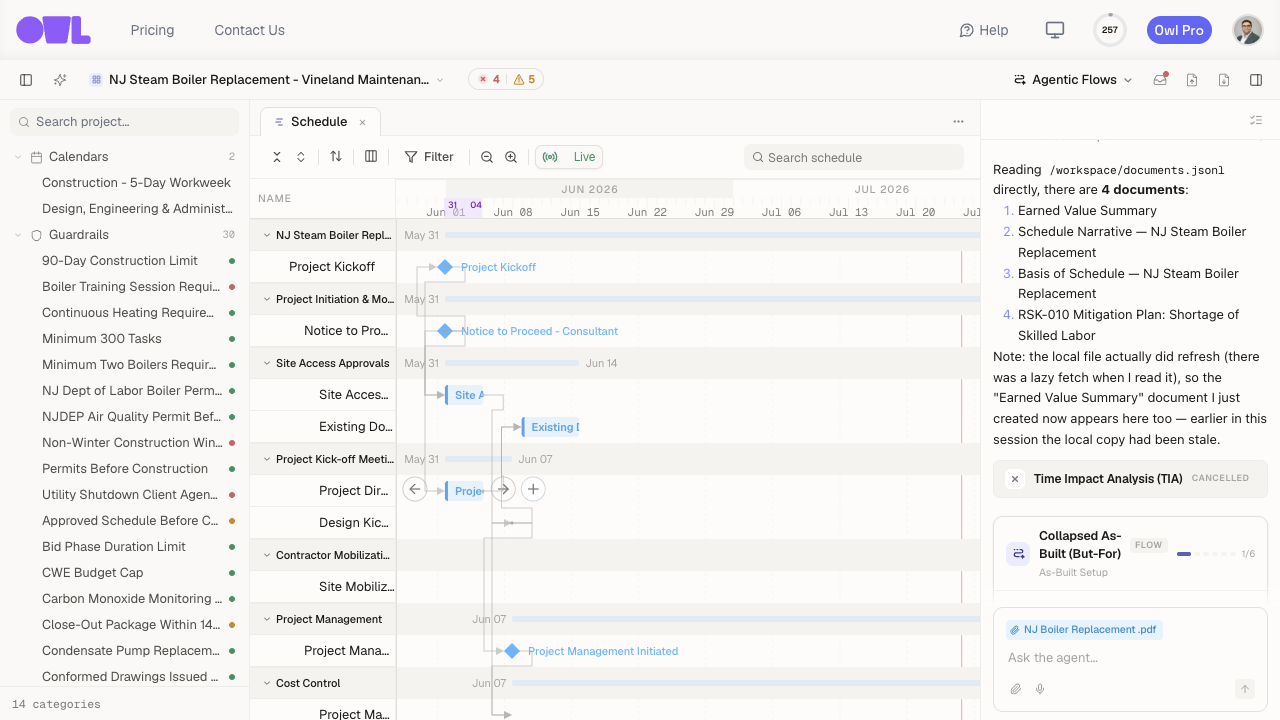 121Launch the flow from Agentic Flows (or ⌘J → Forensic Analysis).2The Collapsed As-Built (But-For) flow card opens on As-Built Setup — choose the schedule, whose delays to remove, and the concurrency theory here.
- As-built schedule — your current schedule, or upload the as-built (P6 XER/XML, MPP, or Excel).
- Whose delays should be removed? — Owner delays (the contractor's "we'd have finished early but for the owner" case) or Contractor delays (the owner's case).
- Concurrency theory — how to treat two delays happening at once. Functional counts delays in the same update period as concurrent; Literal only counts delays on the very same day(s). This matters because a delay that runs concurrently with the other side's delay usually can't be claimed by either party alone.
Step 2 — Describe the delays to remove
Describe the events attributable to that party — what they were and roughly when. Attach any supporting evidence. Owl figures out exactly which as-built activities or durations correspond to each one.
Step 3 — Review the extraction set
Owl proposes the extraction set: for each delay, the specific as-built activity or duration it will remove, and why.
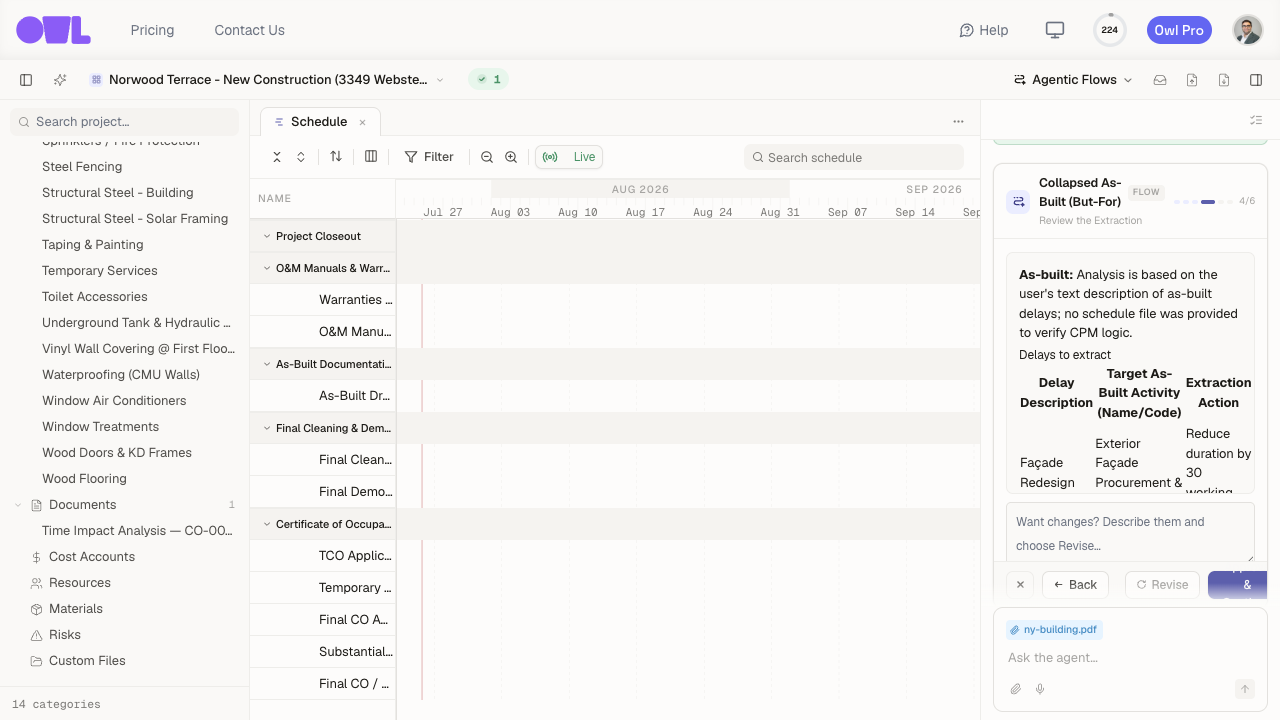 121The proposed extraction set — each delay mapped to the as-built activity or duration Owl will remove, and the action.2Disagree with a mapping? Click Revise to send it back with changes.
Check it before it runs. If Owl mapped a delay to the wrong activity or you disagree with a duration, send it back with changes and it re-proposes. It also flags anything that looks concurrent with the other party's delays, so you're not over-claiming.
Step 4 — Owl collapses the schedule and reports
Once you approve, Owl builds a scenario from the as-built, removes the agreed delays, and recalculates to the but-for completion date — all without changing your live schedule. You get a report document under Documents and the collapsed scenario to open.
The result is stated as the gap between the two dates — for example, as-built finish 2027-06-17 vs but-for finish 2027-06-15 means roughly two working days are attributable to the removed delays, after accounting for concurrency.