
Time Impact Analysis (TIA)
A Time Impact Analysis answers the question owners ask most: how many days did this specific event add to the finish? You describe the delay — an unforeseen condition, a change, a late approval — and Owl models it as a small set of tasks inserted into your schedule, recalculates, and measures how far it pushes completion. It's the method most often expected for a time-extension request, and it's the first one to reach for when a single event has set you back.
Note: The industry term for the inserted tasks is a fragnet — a "fragmentary network," just a little cluster of activities that represents the delay and wires into your existing schedule. Owl proposes the fragnet; you approve it.
Before you start
Have the basics of the event ready: what happened, roughly when, who's responsible, and which existing activities it hit. If you have supporting paper — a change order, an RFI, a photo log, or an updated schedule file — have it handy to attach. You don't need to have modeled anything; that's Owl's job.
Step 1 — Set up the analysis
Launch Time Impact Analysis (TIA) from Agentic Flows (⌘J → Forensic Analysis). The setup step asks two things:
- Perspective — Prospective (a forward-looking forecast, run close to when the event happens — the most common) or Retrospective (looking back at an event after the fact).
- Un-impacted schedule — the "before" schedule the delay is inserted into. Usually your current schedule; you can also use the saved baseline or upload the update that was in effect just before the delay (P6 XER/XML, MPP, or Excel).
Step 2 — Describe the delay event
Tell Owl what happened.
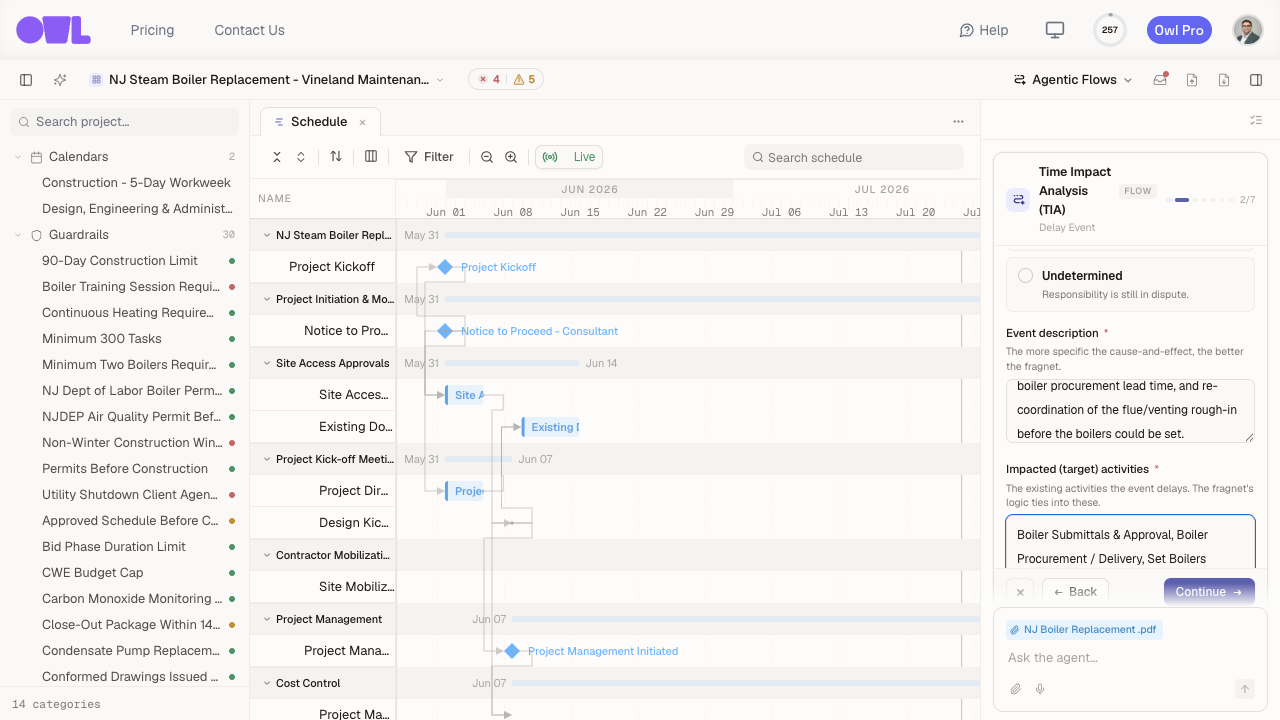 1231Responsible party — Owner, Contractor, Third party, Force majeure / weather, or Undetermined.2Event description — a plain-language account of the cause and effect. The more specific, the better the model.3Impacted (target) activities — the existing tasks the event delays; Owl ties the fragnet's logic into these.
- Event name — a short label (for example, CO-007 Owner-Directed Façade Redesign).
- Responsible party — Owner, Contractor, Third party, Force majeure / weather, or Undetermined. This frames whether the delay is typically excusable (you're owed time) and compensable (you're owed money) — Owl notes it in the report but doesn't decide entitlement for you.
- Event description — a plain-language account of the cause and effect. The more specific, the better the model.
- Impacted (target) activities — the existing tasks the event delays. Owl ties the fragnet's logic into these.
- Supporting evidence — attach the change order, RFI, or correspondence if you have it.
You can also model several related events together, if the setback had more than one cause.
Step 3 — Review the proposed fragnet
Owl may ask a couple of quick questions (for example, whether a time extension was already granted), then proposes the fragnet — the activities, durations, and logic links that model the delay.
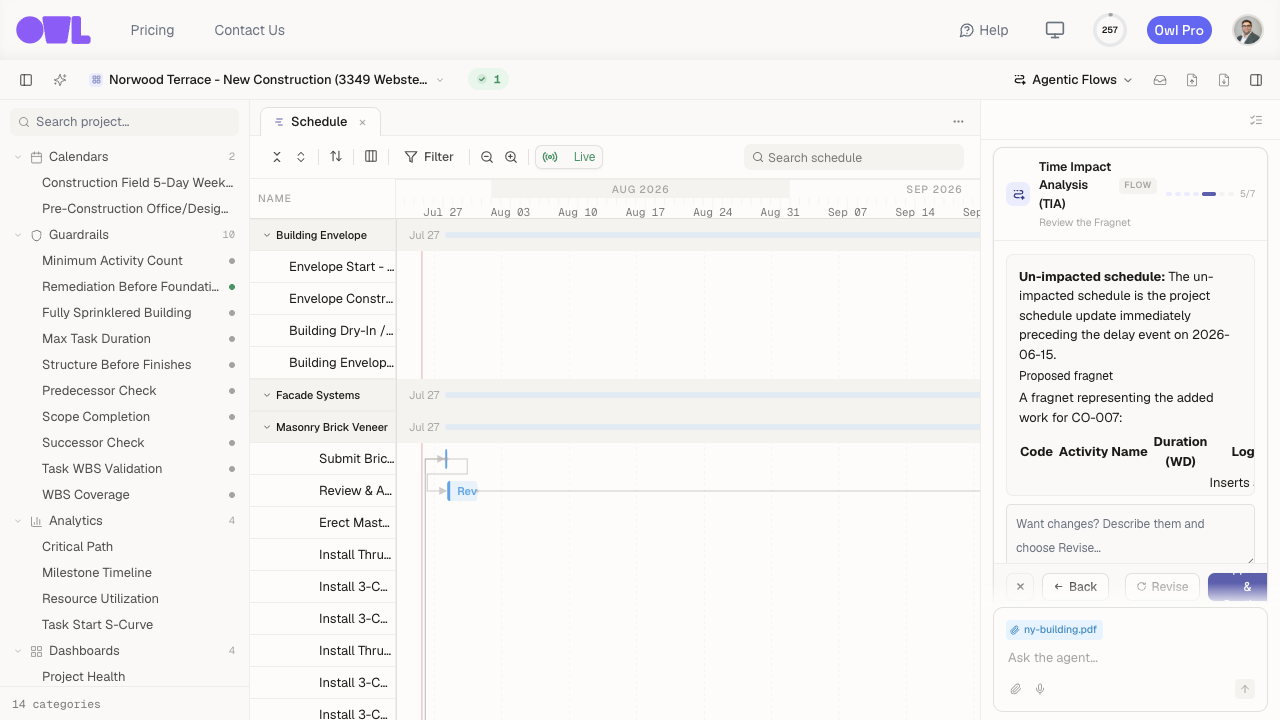 121The proposed fragnet — the activities, durations, and logic links that model the delay. This is the judgment call, and it's yours.2If the durations or the way it connects aren't right, describe the changes and choose Revise — Owl re-proposes before anything touches the schedule.
This is the judgment call, and it's yours. Read what Owl proposes, and if the durations or the way it connects to your schedule aren't right, send it back with changes — Owl re-proposes before anything touches the schedule.
Step 4 — Owl models it and reports
Once you approve, Owl inserts the fragnet into an isolated scenario (your live schedule is untouched), recalculates the critical path, and measures the delay.
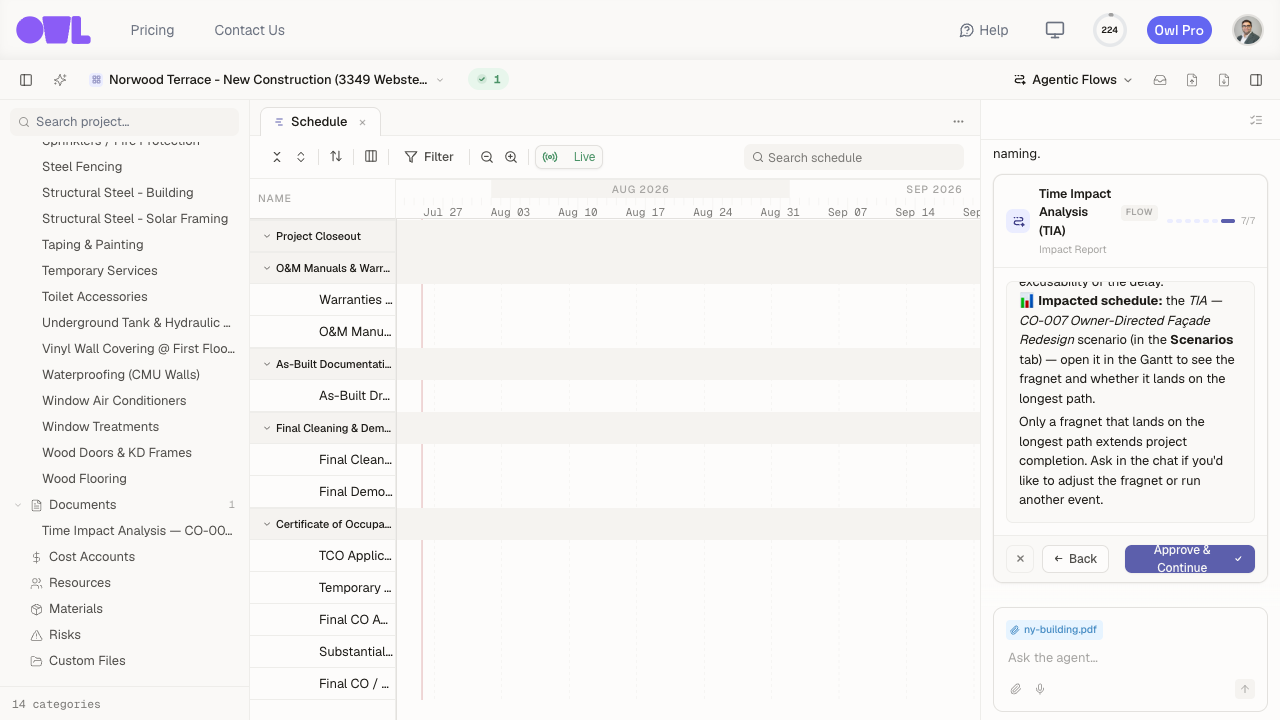 121Owl's impact report in the chat — the measured critical delay and where the scenario landed.2The report document under Documents — export it and attach to your time-extension submittal.
You get two things:
- A report document under Documents (for example, Time Impact Analysis — CO-007…) that you can export and attach to your submittal.
- The scenario it built, under Scenarios — open it in the Gantt to see the fragnet in place.
Note: The delay is measured along the longest path — the chain of tasks that sets the finish date. A fragnet only extends completion if it lands on that longest path. If Owl reports zero days of critical delay, that's a real result: the event hit work that had enough slack to absorb it. (In one worked example, an owner façade change landed on a branch with ~96 working days of float, so its critical delay was 0 — a valid finding, not a failure.)
What to do next
- Try a different lens — if the job is already complete, Collapsed As-Built approaches the same question from the other direction (removing delays rather than adding them).
- Send it — export the report document for your time-extension request or claim.